



The Firm That Wanted Nothing to Do With IT
John R. Waters & Company moved from a very hands-off approach to a provider that goes looking for problems instead of waiting to be told about them.
Having backups and being able to recover are two different things, and the gap between them is where businesses get hurt. Three things close it, and you need all three.


Onsite and offsite backups are published inclusions of ITS managed IT services, and the network operations center is the part that checks the jobs actually ran. If your worry is an attacker deleting the copies rather than a drive failing, that is ransomware protection.
Our free eBook walks through the disaster types most businesses never plan for, a simple formula for working out what an hour of downtime costs you, why testing your backups is the part everyone skips, and how to tell a serious backup and disaster recovery provider from a cheap one. No jargon, and no form-filling beyond your name and email.
These are ITS clients talking about what changed after the switch. None of them is talking specifically about a restore, and we are not going to pretend otherwise: what they describe is the day-to-day of not losing time.
We always get a technician or an engineer that can solve the problem remotely and we have very little downtime. We've had a couple of times where we have had an employee that is prevented from working, and when we call in and we escalate quickly, we always have someone readily available to solve the problem.
ITS has been working with McQuarrie Associates for over 25 years. In that time, ITS has managed all of our IT needs. It is so easy to work them. With any kind of IT concern, ITS has been there with us. They provide a holistic service that is hugely valuable to us and we would not be able to function without it.
We'll be celebrating our 30th year and ITS has certainly helped us get to this point. With the knowledge that we've gained through ITS, I am confident that they are going to help us get through 30+ years, and as far as I'm concerned, hopefully, a lifelong relationship.
ITS led significant, transformational changes at Eastern Plumas Health Care to ensure we weren’t susceptible to attacks. Looking back, prior to that partnership, we had a lot of risks on campus. I’m glad nothing happened, but I’m even more proud that after implementing those systems, we’ve avoided data breaches and HIPAA violations throughout our five-year partnership.
I highly recommend ITS. The team is very responsive. I feel the process is really easy when it comes to submitting the tickets and the response time is always very quick. If a person is having an issue, they reach out the same day and they're able to resolve those issues very quickly. It's always been very impressive how responsive they are, how helpful they are, and how friendly they are in the process. Everyone that I've interacted with has always been very friendly on top of being very knowledgeable. They have that personal touch that you honestly wouldn't expect from a big IT company.
Working with them is phenomenal - always bringing top-notch technology to the table, always bringing solutions, and making sure that you're aware of happenings in the industry so that your company is always ahead the competition. I would absolutely recommend them. It would be worth your time and you won't regret it.
One thing that has improved for us is more immediate service, which is wonderful. Financially, it helps us because I don't have to hire a whole team of people. You cannot have one person in in any agency.
We were pleasantly surprised that we feel very valued… Everybody from the top down has been very accessible, communicative, and willing to share their knowledge and educate us, which has been huge.
Both of these businesses came to ITS with the same underlying problem: nobody could say for certain what was being looked after and what was not. Read what changed.
John R. Waters & Company moved from a very hands-off approach to a provider that goes looking for problems instead of waiting to be told about them.
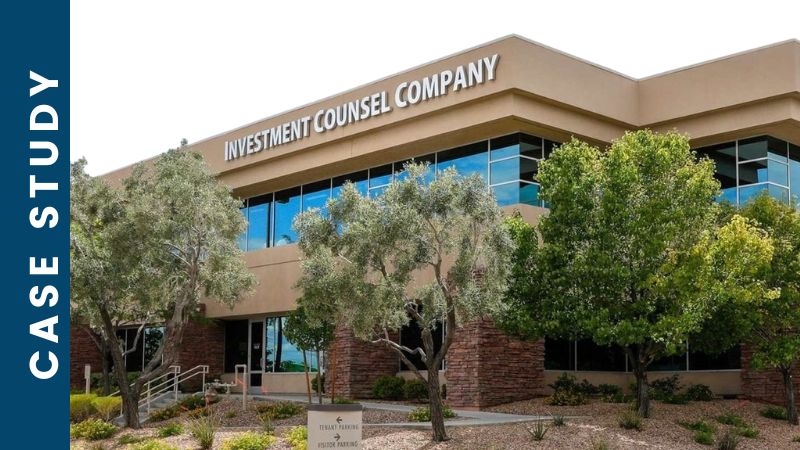
A small business that expected IT problems to keep cropping up, and now has everything monitored around the clock by a team it does not have to employ.

A free IT assessment tells you, in writing, where your data actually lives, which copies exist, and which of them anyone has ever restored from. No obligation at the end of it.